 Latest Breaking News Online News Portal


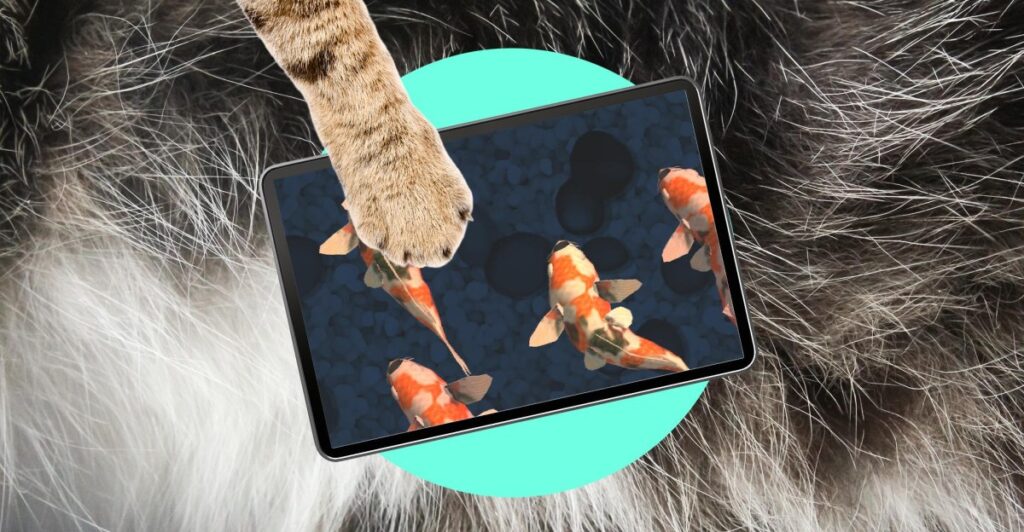
Pets, like children, come with the responsibility to keep them happy, healthy, and mentally stimulated — obligations I readily committed to before getting my cat, Trevor. I work from home, so he’s never lonely, and play with him using a mountain of toys at every opportunity outside of my working hours. But younger cats can be incredibly demanding of your attention. I simply don’t have the capacity to physically entertain Trevor every time he yowls at me (constantly) or distract him from chewing every cable he can get his paws on (also constantly).
Unlike children, one of the perks of having a blissfully simple animal is that there are far fewer concerns about inflicting them with screen-induced brainrot. Trevor will never have his cognitive development stunted by algorithmic, nonsensical AI slop or fall into some weird manosphere rabbit hole. I’m not proud of it, but iPad games and “cat TV” channels on YouTube have really come in handy since bringing home a kitten.
From the very start, he’s been an iPad kid. What Trevor really wants is to act on his natural instincts to stalk and catch small animals. He already has a sizable box of motorized balls and flapping bird / butterfly toys he can chase to satisfy this, but there’s thankfully an abundance of gaming apps on Apple’s App Store that are specifically designed to simulate that experience too. And they tend to be much quieter.


These cat entertainment games include “Cat Fishing 2,” which is developed by the Purina pet care brand, and the inspiringly named “Games for Cats Cat Toy – Meow.” Many of these games work by engaging your cat’s prey drive, or as Purina describes it, “keep your cat’s mind active while also scratching their hunting itch.” I have an old 6th-generation iPad lying around that I’ve been using to run these games, conscious that Trevor is a heavy-pawed Maine coon and tablet displays aren’t really designed to be repeatedly smacked. It’s survived this abuse for over a year so far.
All of the apps I’ve tried provide a similar gameplay experience: Something zooms around on the display, and your cat has to tap the object with its paw, much like chasing a laser pointer. Sometimes that “something” is a fake laser dot, but mice, fish, bubbles, and bugs are also extremely common. Just set the game up on your tablet, place it on the floor to prevent it from being pushed off the edge of a table or countertop, and let your cat smush digital critters until they get bored. It keeps Trevor occupied for around 10 minutes, which is better than nothing.
YouTube is another great alternative. Searching for “cat TV” will surface thousands of video options that give your cat something engaging to watch. Like the games, these videos also provide a fairly common experience — it’s usually a lengthy recording of small outdoor animals like mice, squirrels, and birds scampering around on the screen, or a fish tank. Even without a YouTube Premium subscription, it’s easy to find ad-free videos to avoid disruptions, and the audio is typically more zen than distracting if you need to have it on in the background while you work.
If your pet is the type that likes to stare out the window at the world outside, then this may prove even more popular than the games. It gives them something to watch during poor weather or winter seasons when daylight reduces what they can see outside of real windows. And the sheer variety of footage options makes it harder for your kitty to get bored of watching the same thing.
I will warn you that, like accounts for children’s entertainment, there’s a lot of AI slop in some of the cat TV results, so you’ll need to watch out if that bothers you. Also, make absolutely sure whatever display you’re playing it on is secure — a cat lunging at digital birds could very well send a skinny TV flying.


I’m very aware that all this isn’t ideal, but we don’t live in an ideal world, and I won’t let that stop me from making sure Trevor is both entertained and kept safely inside. The more feline-savvy among you will have noticed the other major problem: I only have one cat. Many experienced cat owners would recommend getting a pair that can play together and keep each other company, providing some essential respite. Getting Trevor a friend at some point was always part of the plan, but I assumed my constant presence at home would be enough until that was feasible for us. I was wrong. Technology helps to make up for that oversight for now.
I offer these suggestions as supplements to other toys and manual playtime. I’m by no means a veterinarian or animal care expert, but shoving a cat in front of a TV screen all day feels cruel. With that mindful disclaimer out of the way, I’ll leave you with something that could be just as entertaining for you as it is your cat: Please show them this bizarre video.

The “Oiiaoiia Cat” clip has been described as “cat brainrot” across YouTube and TikTok. It features an edited graphic of a cat spinning against a neon green background with some outrageously annoying audio. And cats, for whatever reason, seem utterly transfixed. You can find hundreds of videos online of cats reacting to it. I assumed it was a viral gimmick before I tried it myself and Trevor went absolutely bonkers watching it on the TV. Stick it on, start recording the results on your phone, and you might have a hilarious memory to keep for years to come.